
The app
Your position, in your pocket.
Free on iOS and Android for every client. 22 things it does, screen by screen — and, at the bottom, the things it does not.
Dashboard
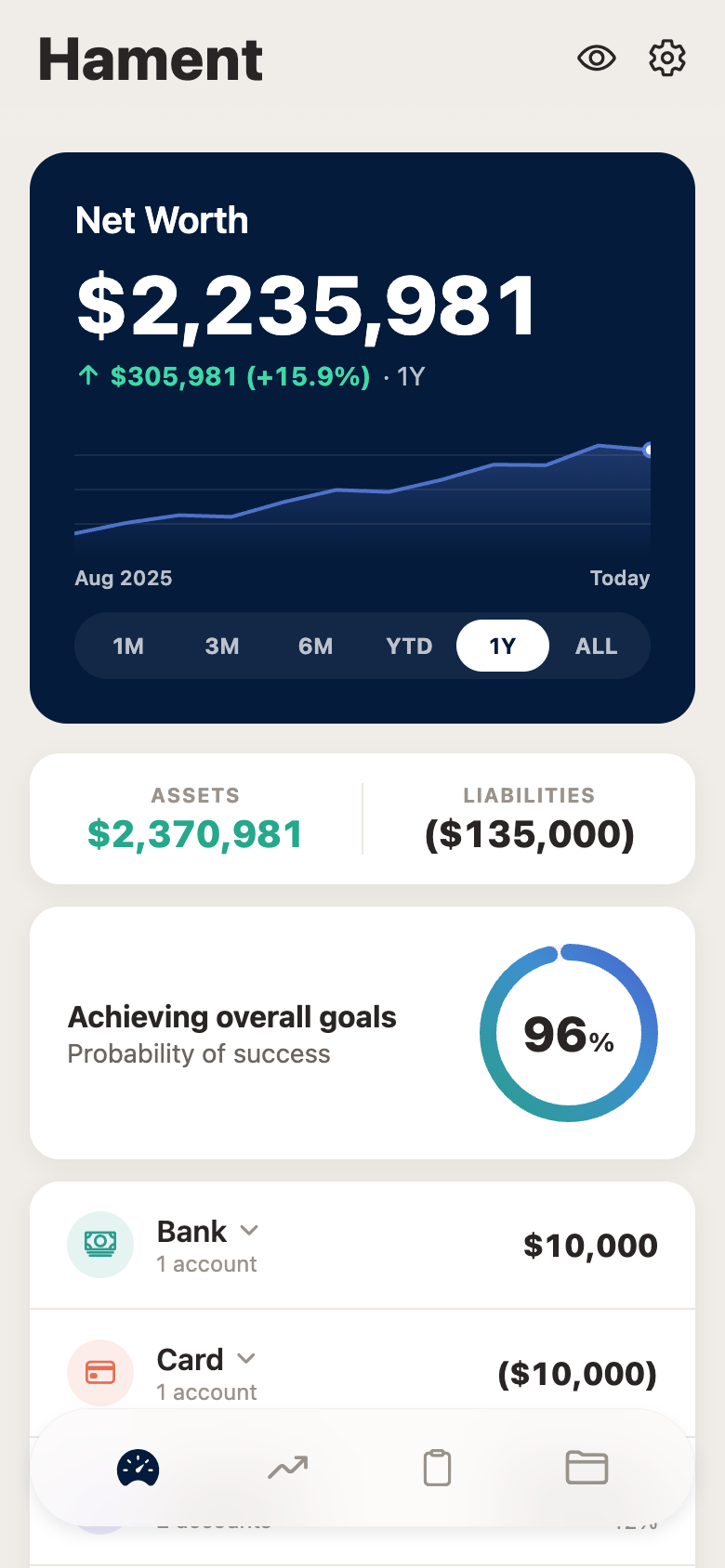
One number at the top, and everything that makes it up underneath.
- Net worth, with history
- The total, the change over the period in both currency and percent, and a trend line you can read at a glance.
- Six time ranges
- 1M, 3M, 6M, YTD, 1Y and ALL. The comparison changes with the range rather than being fixed to the year.
- Assets against liabilities
- Split out rather than netted off, so a rising net worth built on rising debt is visible.
- Probability of success
- Your plan run through a Monte Carlo simulation of 1,000 trials, expressed as a single figure.
- Accounts by category
- Bank, card, investment, loan, property, insurance, business and other — each with its own total and account count, expandable to the individual accounts.
- Privacy toggle
- One tap hides every figure on the screen. For reading your position on a plane, in a taxi, or anywhere with a shoulder behind you.
Investment
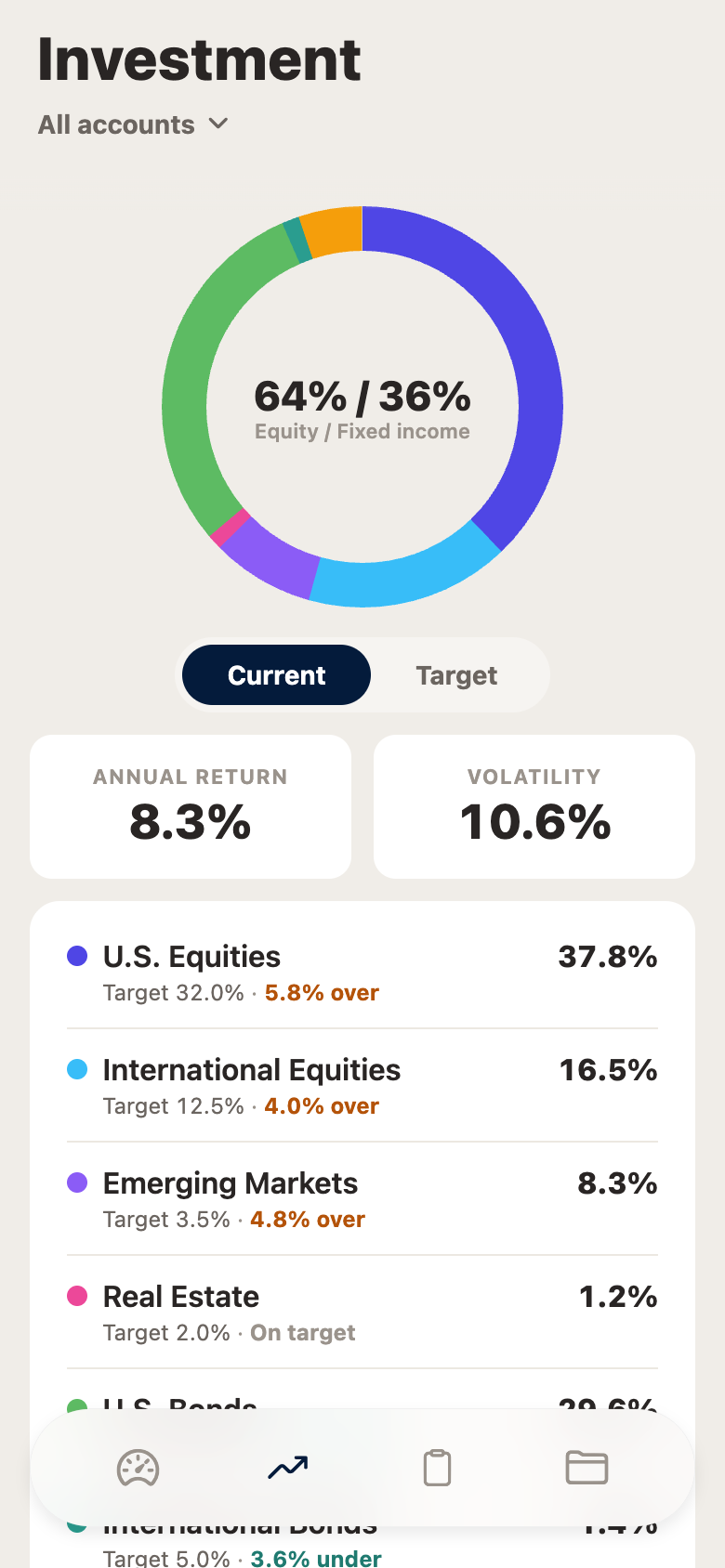
What you hold, against what you agreed to hold.
- Allocation at a glance
- A donut broken down by asset class, with the equity and fixed-income split called out in the middle.
- Current against target
- A toggle that switches the whole view between where the portfolio is now and where the mandate says it should be.
- Drift, per asset class
- Every class shows its weight, its target, and how far over or under it currently sits. Drift is the thing that quietly changes your risk, and it is on the face of the screen.
- Return and volatility
- Both shown together, because a return figure without its volatility beside it is half the story.
- Account filtering
- Look at everything together, or at one account on its own.
Tasks
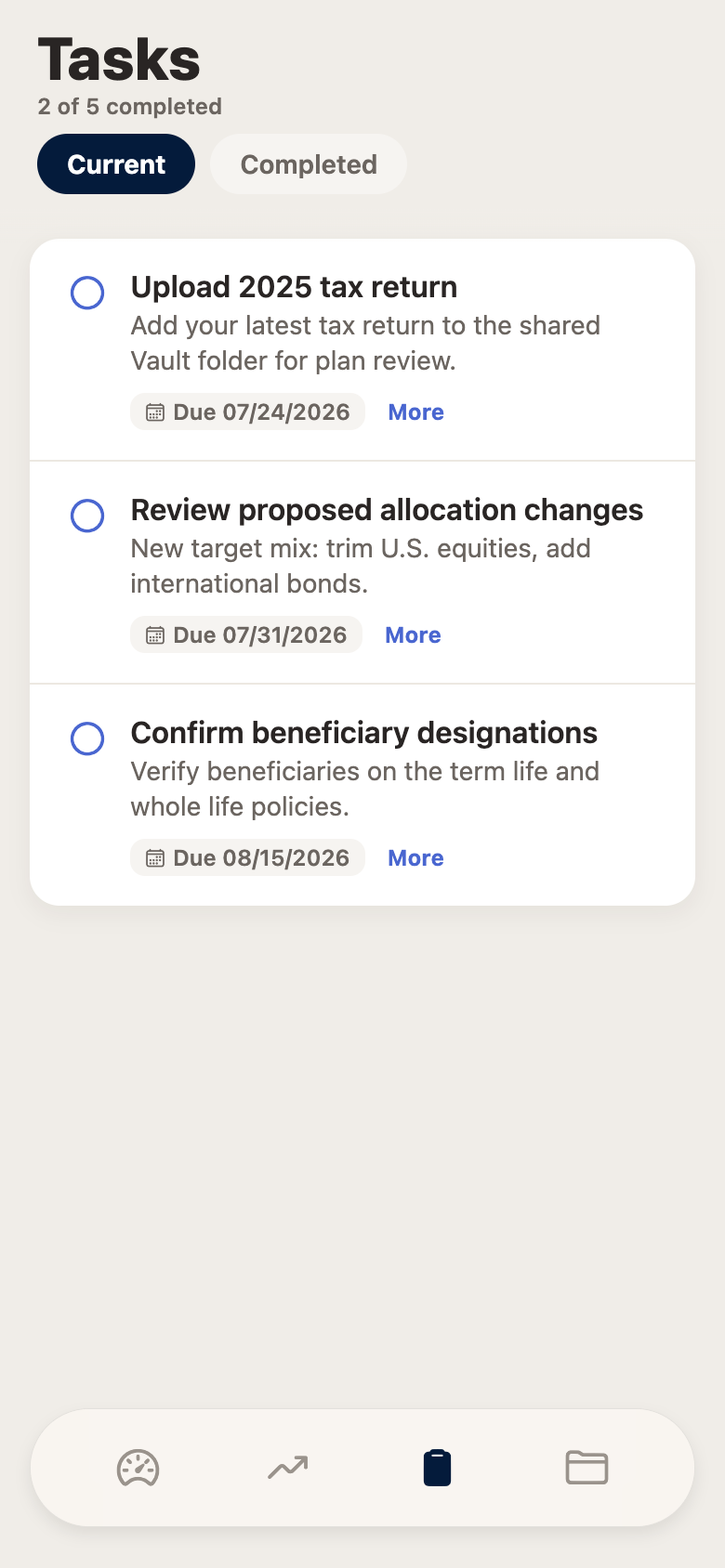
The short list of things only you can do.
- Current and completed
- Two tabs, with a running count so you know how much is outstanding without opening anything.
- Real detail, not a title
- Each task explains what is being asked and why, rather than assuming you remember the conversation.
- Due dates
- Dated, so a plan is a set of commitments rather than a set of intentions.
- Push notification when something is assigned
- You are told once, when it happens. The app does not chase you.
Vault
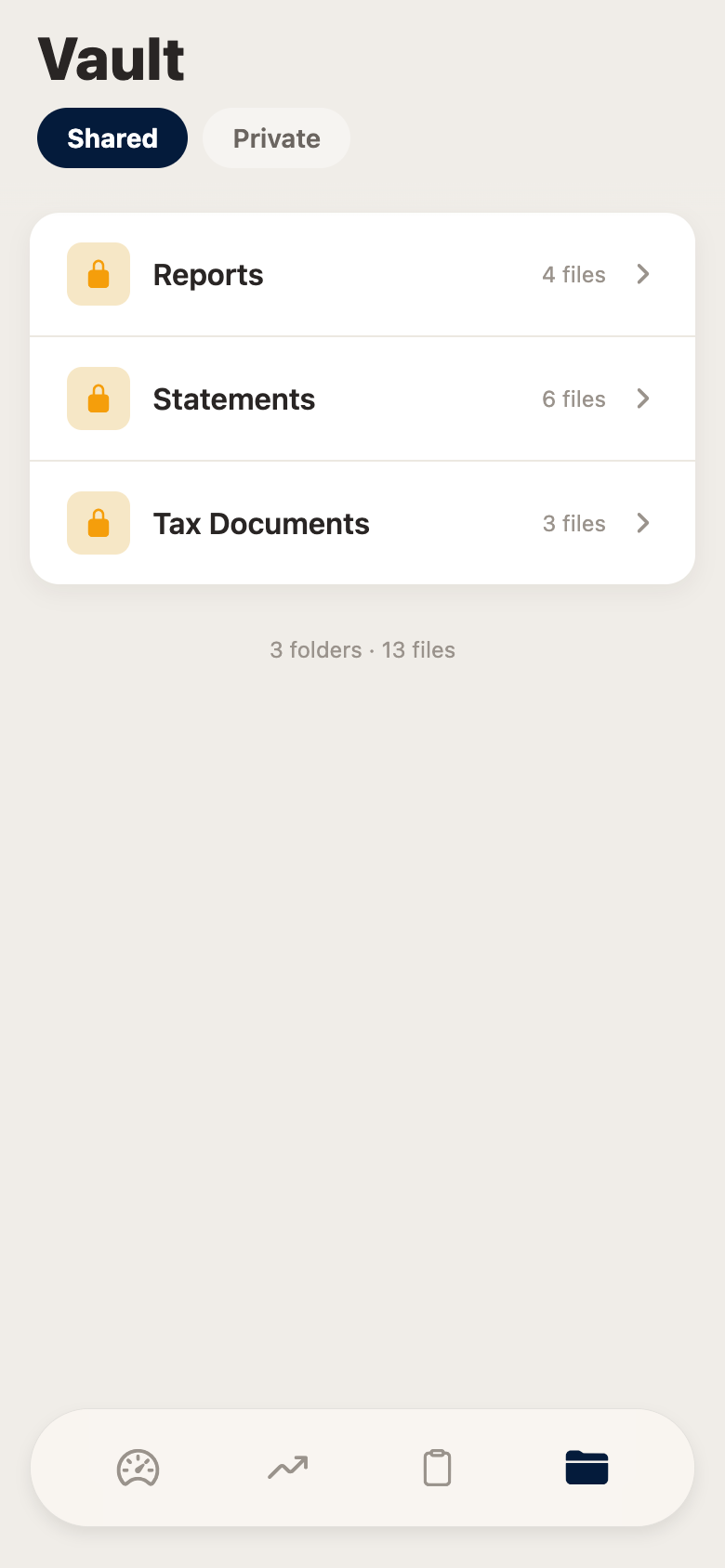
The documents, in one place, on both sides.
- Shared and private
- Shared is bidirectional — you and the firm both see it. Private is genuinely private, in both directions.
- Organised into folders
- Reports, statements, tax documents, and anything else either side creates. File counts on the folder.
- Upload from your phone
- The thing the firm asks for most often is a document, and this is where it goes.
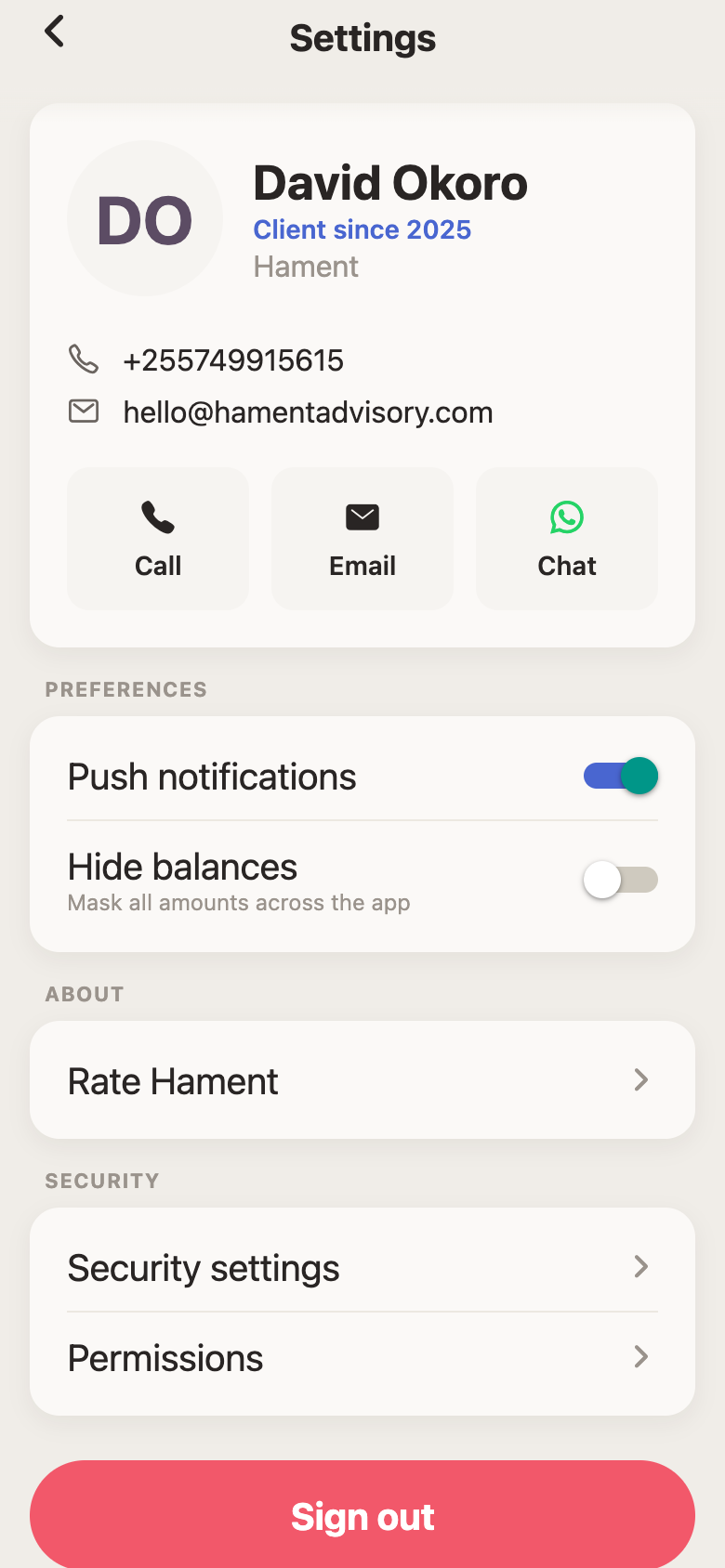
Settings and security
Short, and it does what it says.
- Biometric lock
- Face ID or Touch ID on open. If the device supports it and you turn it on, the app is locked behind it.
- Notifications on or off
- One switch. Turning it off means the app never asks the operating system for permission to notify you.
- Sign out that means it
- Signing out on this device signs you out on this device. It does not silently sign you out of your other ones.
- Your advisor, one tap away
- Call, email, or message, from inside the app rather than from your contacts.
Limits
What it does not do
Worth knowing before you download it, rather than after.
- It is not a trading screen
- No live balances, no order status, no placing trades. For live positions you log in to your own Interactive Brokers account, which is in your name.
- Tanzanian banks cannot be linked
- The aggregation provider behind the portal supports no Tanzanian bank — CRDB, NMB, Standard Chartered, Stanbic, Absa, Exim and Equity were each checked. Local accounts are entered and maintained by hand.
- Everything is in US dollars
- There is no currency selector. A shilling figure is a conversion at a dated rate, maintained outside the app.
- Figures are as fresh as the last update
- Manually maintained accounts move when they are updated, not continuously.
- Where live positions are
- Your own account at Interactive Brokers, in your name, which you can log in to independently at any time.
- On the screenshots
- Every screen on this page shows a demo household with fabricated figures. No client data appears anywhere on this site.
Getting it
The app is included for clients at no extra cost, on iOS and Android. You create your login on the web first, then sign in on the phone.